


Tap to Pay at a glance.
Everything you need to know about Tap to Pay with helloCash — how it works, requirements, security and cost on a single page.
Download the infographic ↓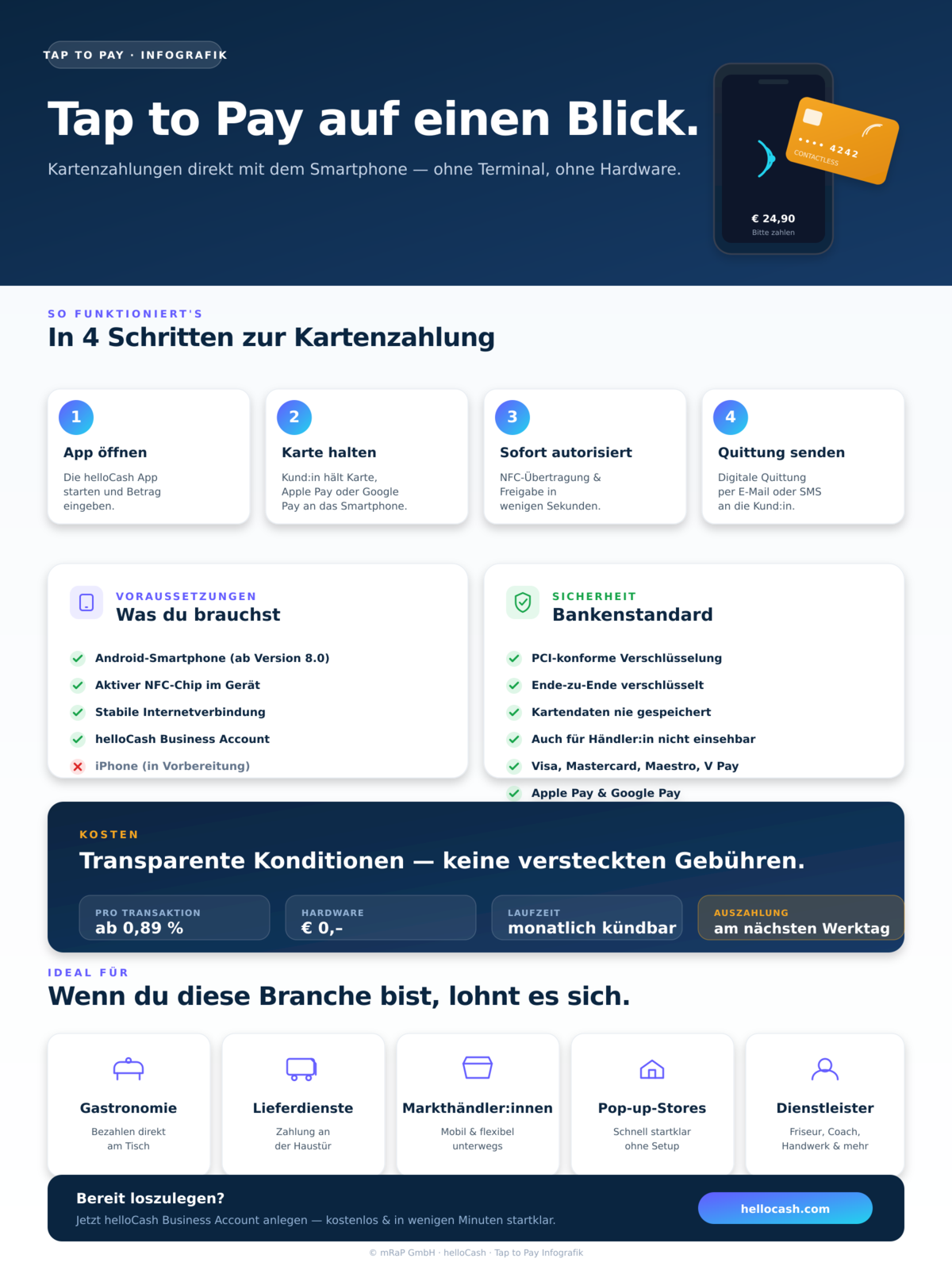
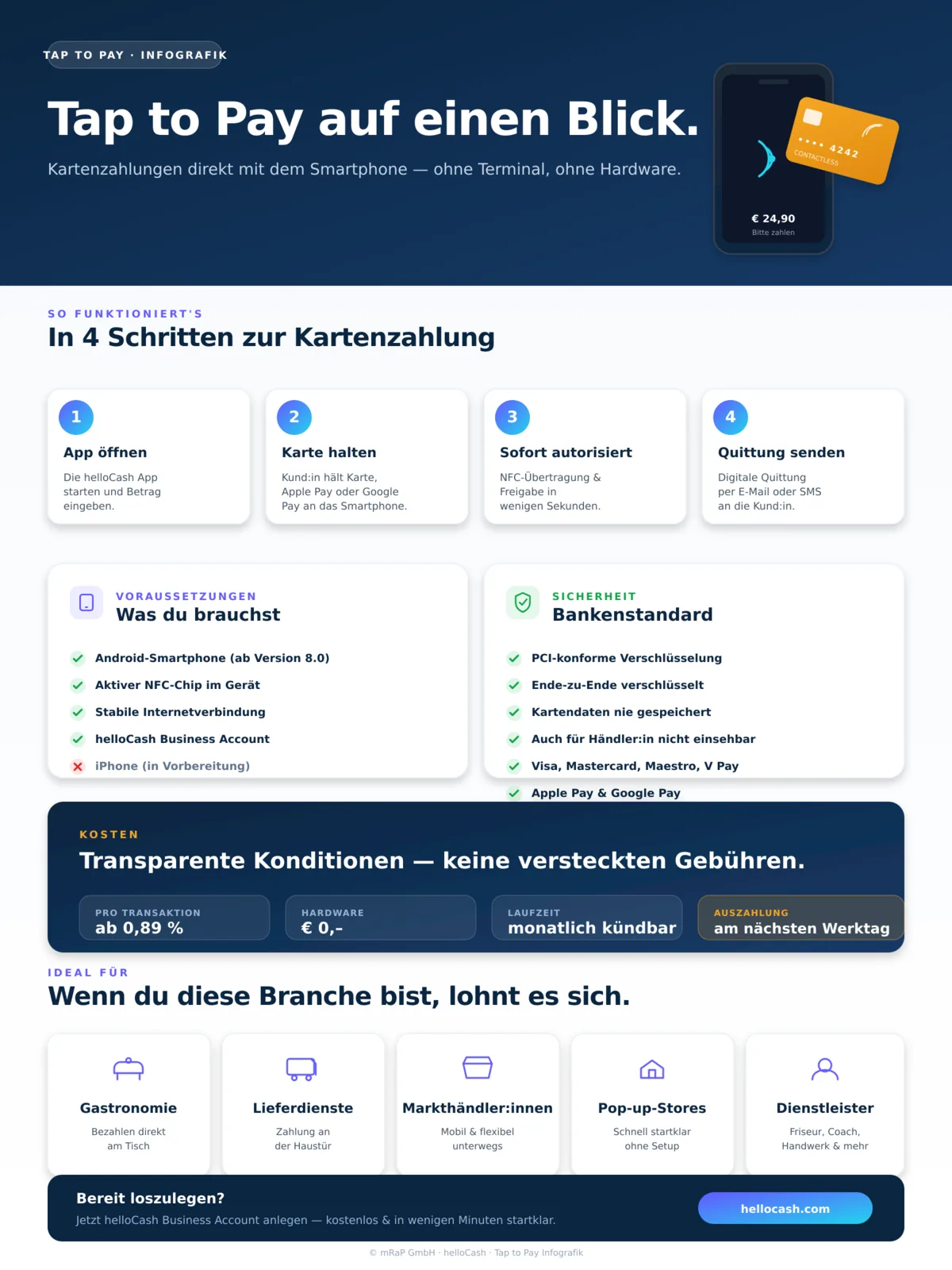
This graphic may contain errors.
Why download this infographic?
One page, all the answers. Whether you're new to Tap to Pay or want to brief your team on it.
Everything at a glance
How it works, requirements, security and cost — compactly summarised on a single page. No searching, no scrolling through long articles.
Team-ready
Print the infographic and hand it to your team. Perfect for onboarding new staff or for internal training sessions.
Offline-friendly
High-resolution PNG you can save on your phone, print or share — readable even without an internet connection.
Free and no sign-up
No email gate, no registration. One click and you have the full overview.
What is Tap to Pay?
Tap to Pay is a modern payment technology that lets merchants accept contactless card payments directly on a compatible Android smartphone — without an additional card reader. The technology uses NFC (Near Field Communication) to securely transmit data between the customer's card and the merchant's smartphone.
Instead of investing in an additional card reader, all you need is an NFC-capable Android smartphone and the helloCash app. Your phone becomes a fully fledged mobile acceptance device for card payments — ideal for small and medium-sized businesses that want to accept card payments flexibly and without a high upfront investment.
How does Tap to Pay with helloCash work?
The flow is delightfully simple: open the helloCash app, enter the amount and ask your customer to hold their contactless card or NFC-enabled wallet such as Apple Pay or Google Pay against the back of your smartphone. The payment is authorised in seconds, you receive instant confirmation and can send a digital receipt to your customer.
You'll need an Android smartphone running version 8.0 or higher with an active NFC chip, a stable internet connection and an active helloCash business account. The helloCash app is available free of charge in the Google Play Store.
Who is Tap to Pay best suited for?
Tap to Pay is particularly attractive for merchants and self-employed professionals who want to accept payments flexibly and on the move. In hospitality it lets you take payment right at the table; for delivery services, market traders, service providers or pop-up stores it can replace the classic card terminal entirely.
Young companies and start-ups also get a simple, low-risk way into cashless payments — without acquisition costs, without long contractual commitments and without complicated hardware integrations.
Frequently asked questions about Tap to Pay
How much does Tap to Pay with helloCash cost?
Tap to Pay with helloCash starts from 0.89% per transaction. There is no minimum contract term — you can cancel monthly. Exact conditions are visible in your helloCash business account.
Which smartphones support Tap to Pay?
You need an Android smartphone running version 8.0 or higher with an active NFC chip. Most current devices from Samsung, Google Pixel, Xiaomi and other manufacturers meet this requirement.
Is Tap to Pay secure?
Yes — Tap to Pay with helloCash follows the relevant PCI security standards and uses end-to-end encryption. Card data is not stored on your device and isn't visible to you as a merchant either.
Which cards and wallets are accepted?
All common contactless cards (Visa, Mastercard, Maestro, V Pay) as well as mobile wallets like Apple Pay and Google Pay are accepted.
When will I receive the payout of my earnings?
Payouts are typically transferred to your linked bank account on the next business day.
Does Tap to Pay also work on the iPhone?
helloCash currently supports Tap to Pay on Android devices. An iPhone version (Tap to Pay on iPhone) is in preparation.